Undetected Autoclicker for Minecraft? How Hardware Beats Screenshares
Can Echo or Ocean find your autoclicker? How Akira Clicker 2.2 runs on a second PC with MAKCU or Ferrum, so a screenshare has nothing of ours to find.
You’re mid-fight and the screen freezes. A staff member pulls you into a call and asks you to download a screenshare tool. Everything running on your PC is about to be scanned, and if you use an autoclicker, this is the moment that decides whether you keep playing.
With Akira Clicker 2.2 and a MAKCU or Ferrum, that scan has nothing of ours to find.
Short answer: No autoclicker is fully undetectable, but you can keep yours off the PC that gets screenshared. With Akira Clicker 2.2, the clicker runs on a laptop or second PC and clicks through a MAKCU or Ferrum, a small USB box between your mouse and PC.
Can Echo or Ocean find your autoclicker in a screenshare?
If your autoclicker is a program on the PC being scanned, yes. That’s exactly what these tools are built to find. Ocean, detect.ac and Echo are the screenshare (SS) tools you’ll see most on Minecraft servers. They scan everything on your PC, alert staff if they find a cheat and tell them exactly what they found. That’s what Minecraft players are actually worried about, far more than the server’s anti-cheat.
Why we built it
It started with a message in our Discord. A user asked whether we ever make custom builds of our clicker, because he’d love to have one that runs through a hardware box instead of on his PC.
Usually, the answer to custom builds is no. We don’t believe in software we can’t support long term, and a one-off build for a single person sadly falls into that category. But if an idea is good enough, there’s no reason it shouldn’t go into the main clicker for everyone, and this one was. So we told him we’d build it, give him early access for free and release it to the public once it was ready. He was a great sport about the whole thing and even helped us test the very first build. To the user who asked: thank you. You know who you are, and without you this feature wouldn’t exist.
The goal was simple: make the clicker completely invisible to screenshare tools and client-side anti-cheats by taking it off your gaming PC altogether.
What is MAKCU?
MAKCU is a small mouse passthrough box. Your mouse plugs into it, it plugs into your gaming PC, and a second computer can tell it when to click. It’s simple, it’s cheap, usually around $20 to $30, and it does one job well. If you’re curious about hardware and don’t want to spend much, it’s a great place to start.
The catch is that MAKCU has one passthrough port, so it takes your mouse and nothing else. Akira Clicker never sees your keyboard, so keybinds don’t work and it can’t detect which hotbar slot you’re on or when you’re in your inventory.
What is a Ferrum?
Ferrum is the one we’d pick, because it takes your keyboard as well as your mouse. With Ferrum you keep your keybinds, and Akira Clicker can still detect your slots and inventory actions, so it behaves exactly like it does on a normal setup.
It’s the full package: more premium, built with gaming mice in mind, and around $150.
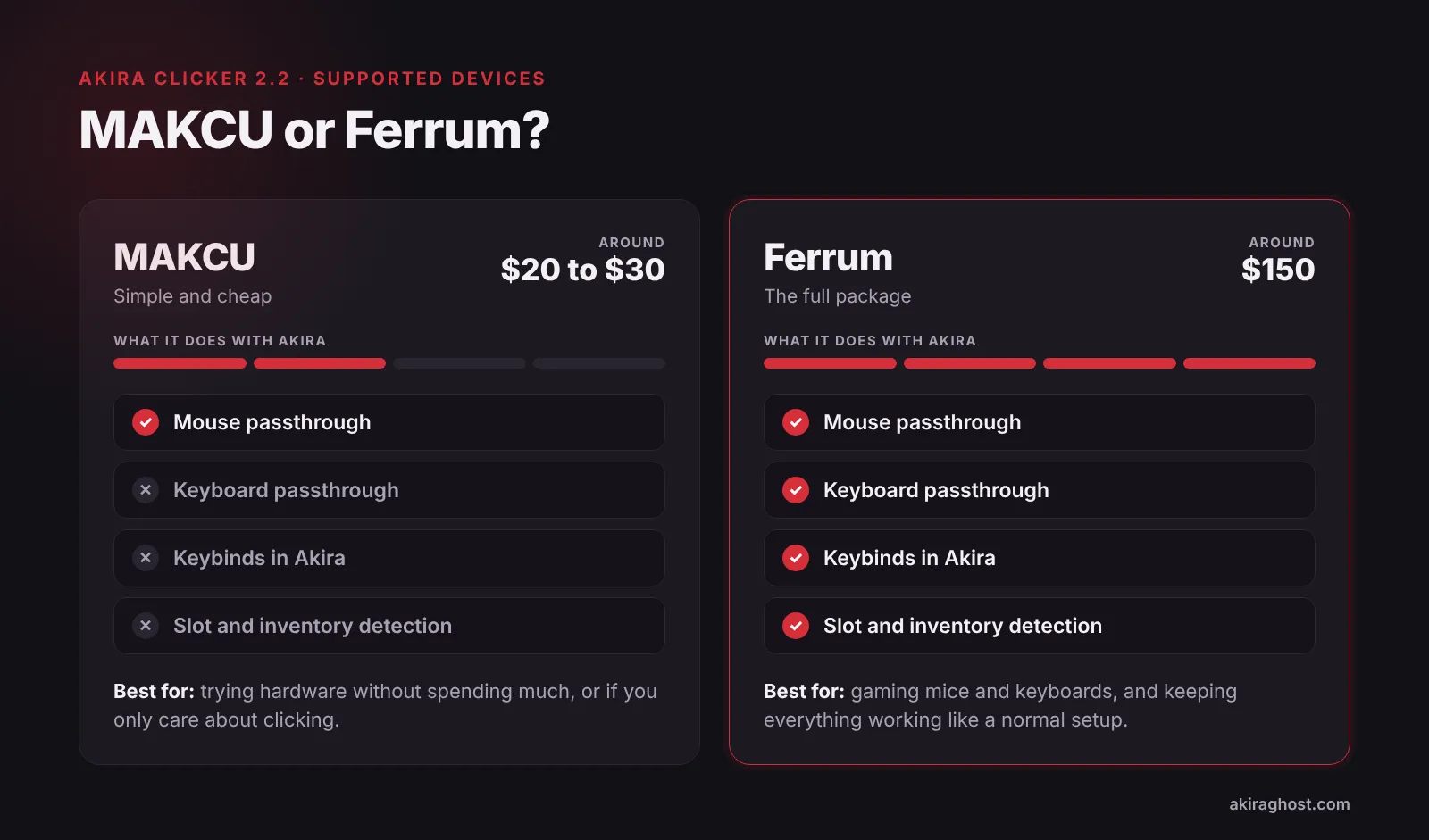
MAKCU vs Ferrum: which one should you get?
If you want to try hardware without spending much, or you only care about clicking, get a MAKCU. If you want everything to work the way you’re used to, get a Ferrum.
Whichever you pick, buy it from the maker or a seller they officially list. A box that sits between your mouse and your PC runs its own firmware, and that’s not something you want from a random reseller.
These are the two devices we support today, but they won’t be the only ones. If the community wants another device, tell us and we’ll add it.
How to set up a hardware autoclicker for Minecraft
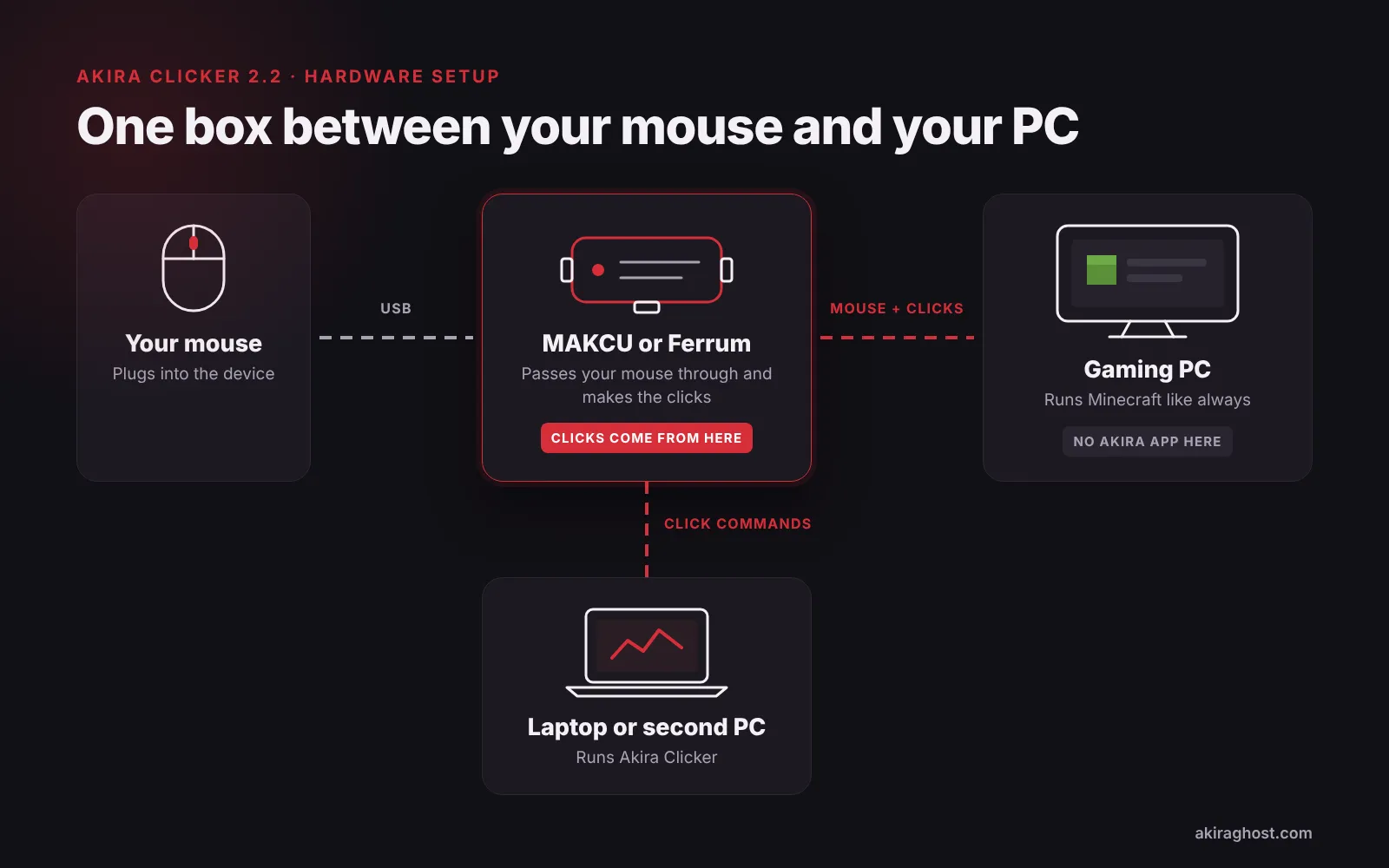
Your mouse, and with a Ferrum your keyboard too, plugs into the device. The device plugs into your gaming PC, where Minecraft runs like it always does. Then you connect your laptop or second PC to the device and run Akira Clicker there.
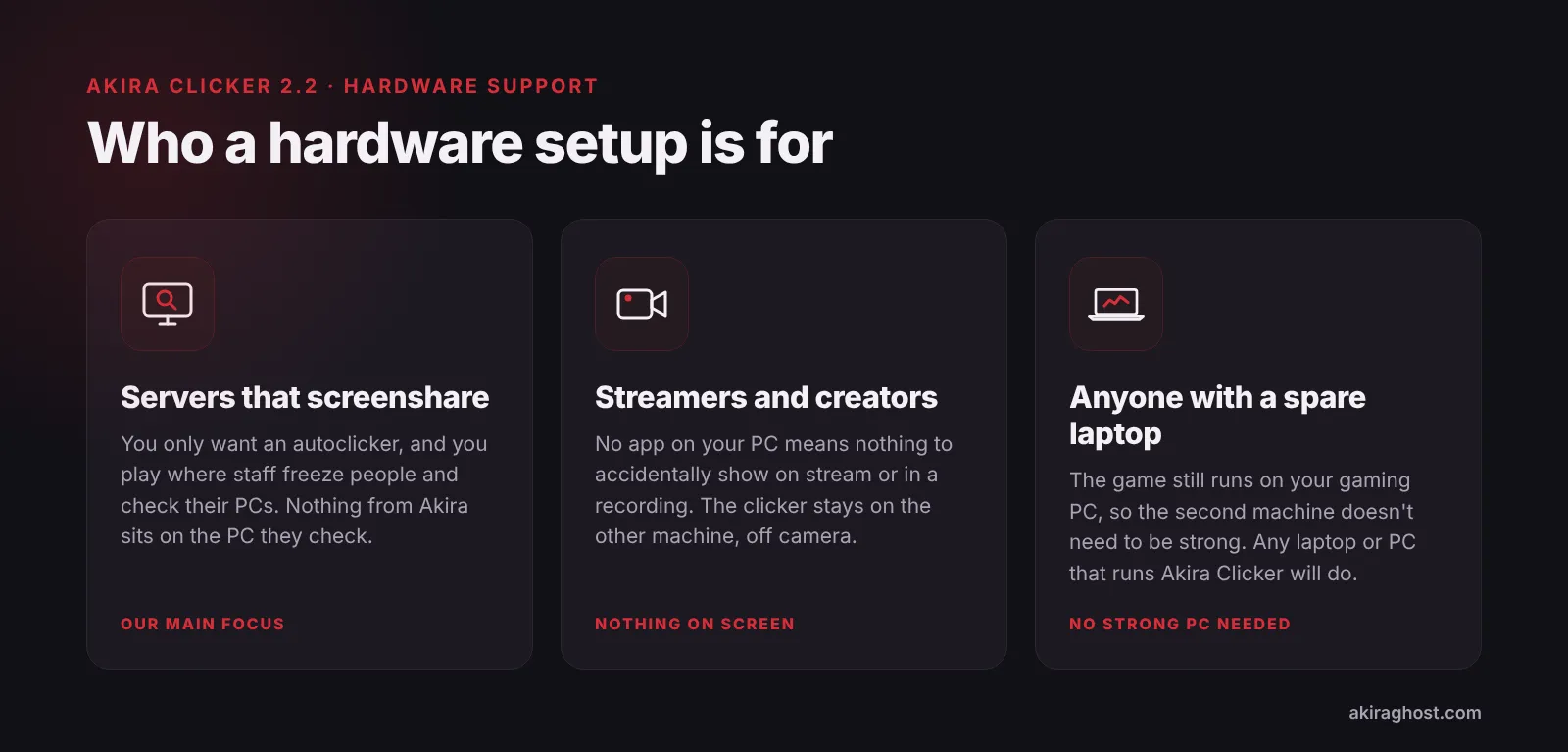
That second machine doesn’t need to be anything special. Any laptop or PC that can run Akira Clicker will do, because the game itself still runs on your main PC. The old laptop in your drawer is probably enough.
From there, Akira Clicker decides when every click happens and the device makes it. All the work we’ve put into the timing side, the pattern designer, Drops, Spikes and Exhaustion and the Click Recorder, is still doing its job. The device changes where the clicks come from, while Akira still decides what they look like.
Does it work with Lunar Client?
Yes, you can use it as an autoclicker for Lunar Client. Akira Clicker works with Lunar, Badlion, Forge and vanilla, and in hardware mode the clicks reach your game as normal mouse input, so it doesn’t matter which client you play on.
Is MAKCU detected in Minecraft? How MAKCU and Ferrum try to stay hidden
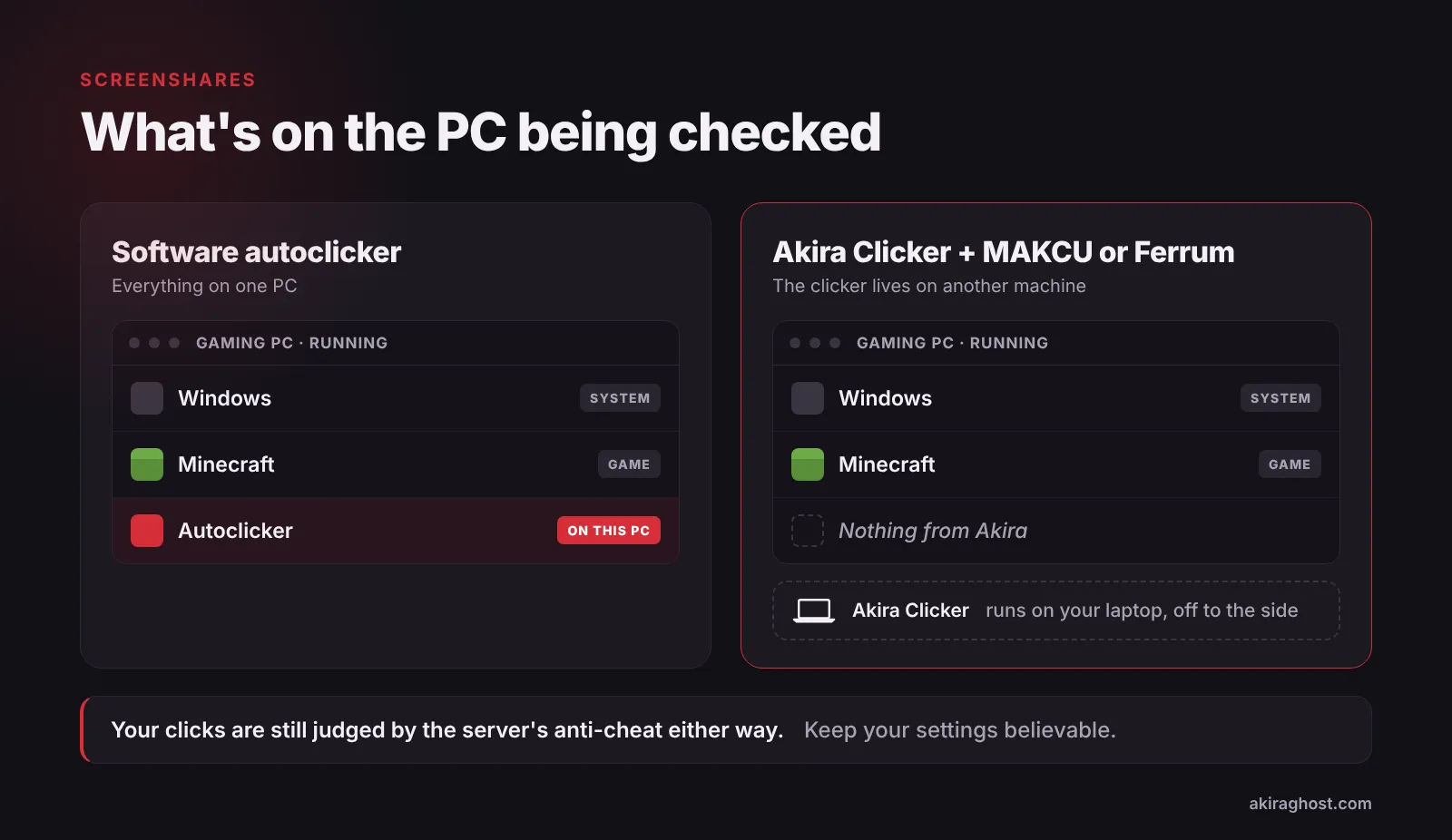
Not the way a normal autoclicker is. On your gaming PC there’s no Akira program to find, and the clicks look like they came from your mouse. On the server, your click timing is still judged like anyone else’s, so your settings still matter. Three things make that work.
When a program clicks for you, Windows knows the click came from software and marks it as injected input. Other programs can look for that mark. A click from MAKCU or Ferrum is made by the device and arrives over USB like a real press of your mouse button, so there’s no mark to find.
The device also passes your mouse through instead of showing up as something new. Your mouse’s own software still recognises it, and to Windows it looks like the mouse you already had plugged in.
And the software that decides when to click is on another machine. When a screenshare tool scans your gaming PC, there’s no Akira program, process or file there for it to flag.
Who is a hardware setup for?
Mostly, it’s for players who just want an autoclicker for Minecraft PvP, Bedwars included, and play on servers where staff screenshare. That’s who this was built for, starting with the user who asked for it.
It’s also a good fit if you stream or make videos. If there’s no app running on your PC, there’s nothing to accidentally show on stream: no window you forgot to minimise, no tray icon, no settings screen popping up in the middle of a fight. The clicker stays on the other machine, off camera.
And if you already own a MAKCU or Ferrum from FPS games, where these boxes come from, there’s no reason not to use it for Minecraft too. For everyone else, it’s the setup for people who want to be as hard to catch as possible, without paying for “undetected” clickers or bypass methods that stop working the week after you buy them.
Is there an undetected autoclicker for Minecraft?
Not in the way people hope. There’s no such thing as an undetectable autoclicker, and we’re not going to pretend ours is one. You can still get banned for using it. A screenshare is run by a person who’s also watching how you play, and the server’s anti-cheat still judges your click timing no matter where the clicks come from. If your CPS is unrealistic or your clicks are too even, you can still get flagged. We went through how that side works in our post on how anti-cheats detect autoclickers.
Screenshare tools and anti-cheats keep getting better, and we respect the people building them. Our job is to keep up and stay one step ahead. Hardware support is one part of that, not the last, and it works best on top of believable settings. That’s the idea behind every Minecraft ghost client we build: enhance, don’t overwrite.
Don’t know how to get started?
We’ll help you. Join our Discord server and we’ll help you pick a device, buy it, set it up and get started with hardware cheating. Akira Clicker is free, and you can grab it here.
Glossary 7 terms
- Autoclicker
- Software that clicks for you, either at a fixed speed or with randomized timing.
- Anti-cheat
- A server plugin or service that watches player behaviour and flags anything that looks like cheating. Intave, Polar and FairPlay are examples.
- Mouse passthrough
- A device that sits between your mouse and your PC and forwards everything the mouse does, so the PC still sees a normal mouse.
- Firmware
- The small program built into a device that controls how it works. Updating it changes what the device can do.
- Injected input
- Mouse or keyboard input created by a program instead of a physical device. Windows marks it, so other programs can tell the difference.
- CPS
- Clicks per second. How many times you click in one second. 10 CPS means a click roughly every 100 ms.
- Flag
- When an anti-cheat marks something as suspicious. A flag is a note for review, not a ban.